Your world, your server, one click.
Press Host on any world. Friends join from anywhere, and your original world stays safe the whole time.
Before you press Host
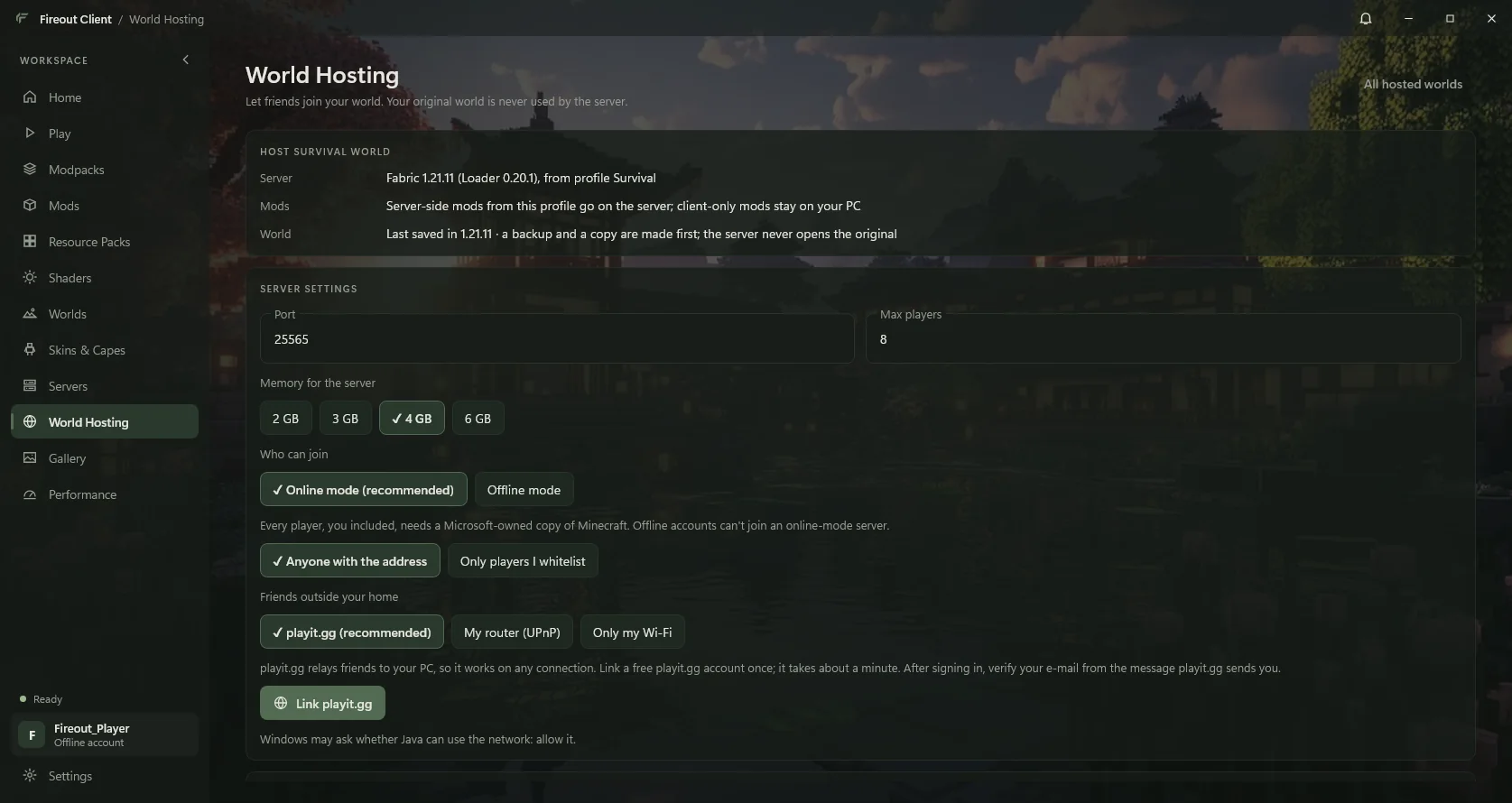
One screen of choices.
Port, players, memory, online or offline mode, a whitelist, and how friends outside your home reach you. Sensible defaults are already picked.
What happens next
Eight steps, shown as they happen.
The launcher shows each step with progress, so you're never staring at a spinner wondering.
- Back up the worldA zip backup is made and every entry checked before anything else happens.
- Copy the world for the serverThe server gets its own verified copy. Your original is never opened by it.
- Get the official serverMojang's server jar (or Fabric's, for modded profiles), hash-checked.
- Choose server-side modsYour profile's mods are sorted: server-side ones go on the server, client-only ones stay on your PC.
- Get Java for the serverThe right Java runtime for that Minecraft version, verified.
- Connect the playit.gg tunnelIf you chose playit.gg: your free address is created or re-pointed at this server.
- Start the background managerA small manager runs the server and keeps it going after you close the launcher.
- Start Minecraft serverThe server loads; the dashboard shows players, console and the address to share.
Friends outside your home
Three ways in. One is effortless.
| Option | Works on | You do | Friends type |
|---|---|---|---|
| playit.gg (recommended) | Any connection, including mobile data and networks where port forwarding is impossible | Link a free playit.gg account once, then verify your e-mail | word-word.gl.joinmc.link |
| My router (UPnP) | Home connections whose router allows it | Nothing: the launcher asks your router to open the port, and closes it after | your-ip:25565 |
| Only my Wi-Fi | Players on the same network | Nothing | 192.168.x.x:25565 |
Can't forward ports? Many home and mobile connections, including much of India's, share one public address between many customers (called CGNAT), so no router setting can open a port. playit.gg connects out from your PC instead, so it works on those connections too.
playit.gg is a separate free service that relays players to your PC. Its privacy policy applies to that connection.
The safety model
Your original world is never the one running.
- Backup first. If the backup can't be verified, hosting stops before anything is copied.
- Written back only after a clean stop. When the server shuts down properly, its progress replaces your world, and the version from before is kept.
- Crashes change nothing. After a crash or power cut, your original is left alone. An interrupted write-back finishes safely the next time the launcher starts.
- Played it meanwhile? If you played the original while it was hosted, both versions are kept for you to choose.
- Safe defaults. Online mode is on. Offline mode always requires a whitelist, and names keep their capitals so the right players get in.
- Private controls. The server's management channel listens only on your PC, protected by a random key. Remote console stays off.
Host tonight.
Needs a profile on a Minecraft version with an official server. Hosting help